


Many WhatsApp numbers, one inbox
Connect as many WhatsApp numbers as your operation needs, plus Instagram, Telegram and the chat on each website. Everything lands in the same inbox, with many agents replying in real time.

Bring several WhatsApp numbers, Instagram, Telegram and your website chat into one inbox. Many agents reply at the same time, each conversation reaches the right person and AI helps them answer.
7-day free trial, no credit card required.
Arrive
Every message lands in the right inbox, with the contact's history right beside it.
Route
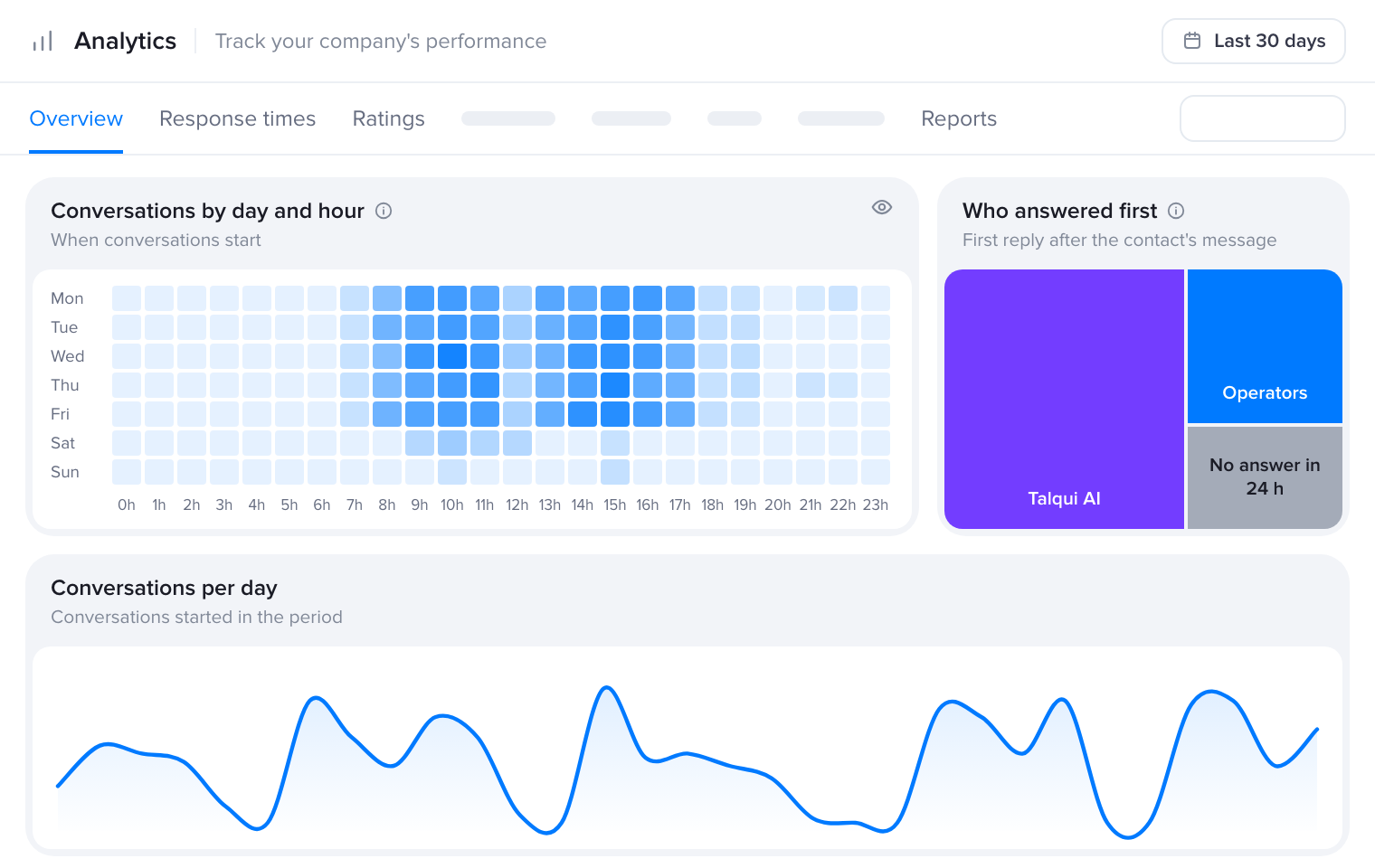
Talqui AI answers first, or the conversation goes straight to whoever on the team is free.
Resolve
Your team replies with help from AI and closes with a reason and a satisfaction survey.
WhatsApp lives on someone's phone, SMS in another system and Instagram DMs in yet another tab. Messages slip through, two people answer the same customer and managers can't see the queue.
What if it all fit on one screen?

Hubii supports brands like Heineken, ampm and Kibon on iFood. With Talqui, it brought every brand and store into a single interface.
“We were able to significantly reduce operating costs with more productive agents connected to each client's business on iFood.”

Inside the inbox
Scroll down and follow one conversation through every step of the inbox.
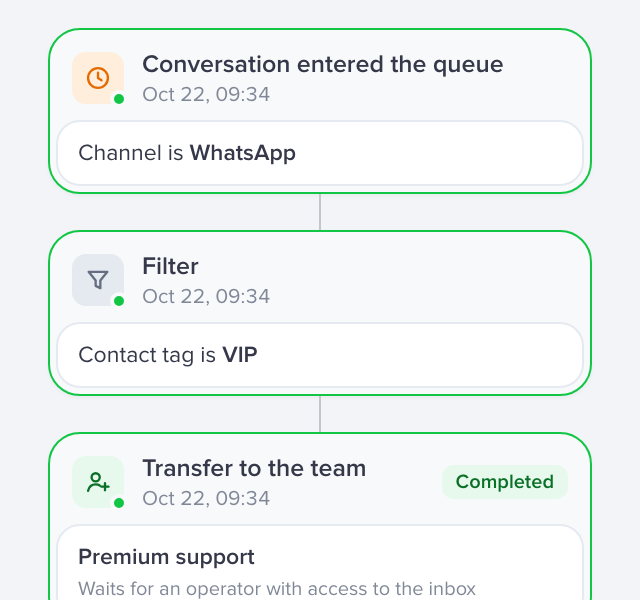
Create inboxes for Support, Billing, Sales or whatever your operation needs. New conversations wait in the Queue until they reach the right inbox, and each inbox shows only to the people who need it.
Split conversations evenly across your agents, with no manual triage. Balanced routing sends each new chat to the agent with the fewest open conversations. Round-robin and random assignment are there too, and whoever replies first can take it.
Tags make conversations easy to find and automate later. Internal notes sit in the thread for your team only, hidden from the customer.
Ask AI to suggest a reply, explain it better or rewrite what you typed. You review and send it, in your company's voice.
One click and Talqui AI summarizes the conversation. Whoever picks it up gets the full picture in seconds, without scrolling the whole thread.
Look up and update data in your CRM, ERP or any other system without leaving the chat. The extension sits next to the conversation and agents act right there, with no tab switching.
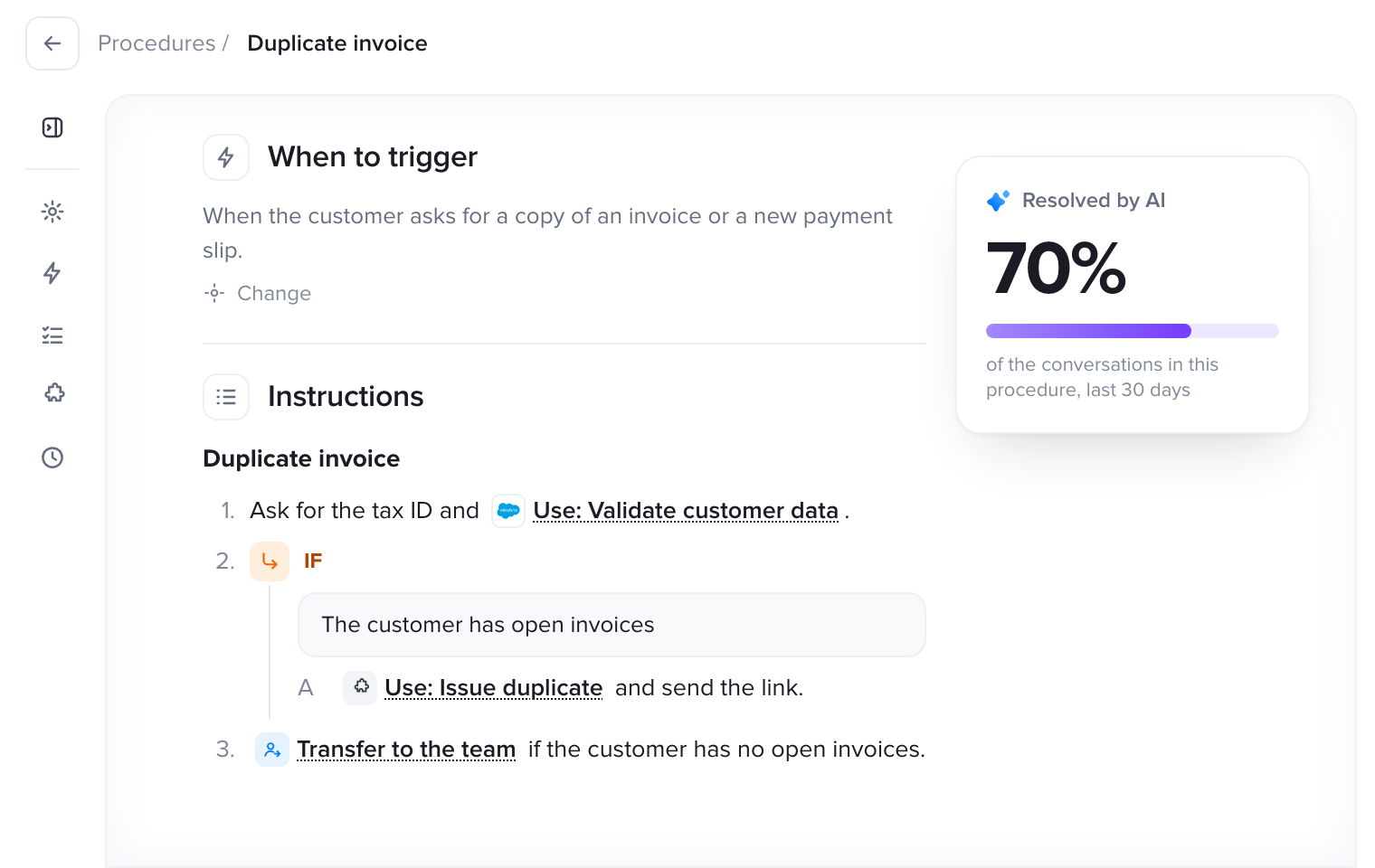
See all integrations Build your own pluginTalqui's AI agents answer what they know. When a case needs a person, the conversation moves to the right inbox and, if it waits in the queue, Talqui AI adds a summary. Whoever takes over already knows what happened.
Meet the AI agentsBuilt around your operation
Numbers, teams, permissions, business hours and transfers, set up the way your team already works.
Connect as many WhatsApp numbers as your operation needs, plus Instagram, Telegram and the chat on each website. Everything lands in the same inbox, with many agents replying in real time.
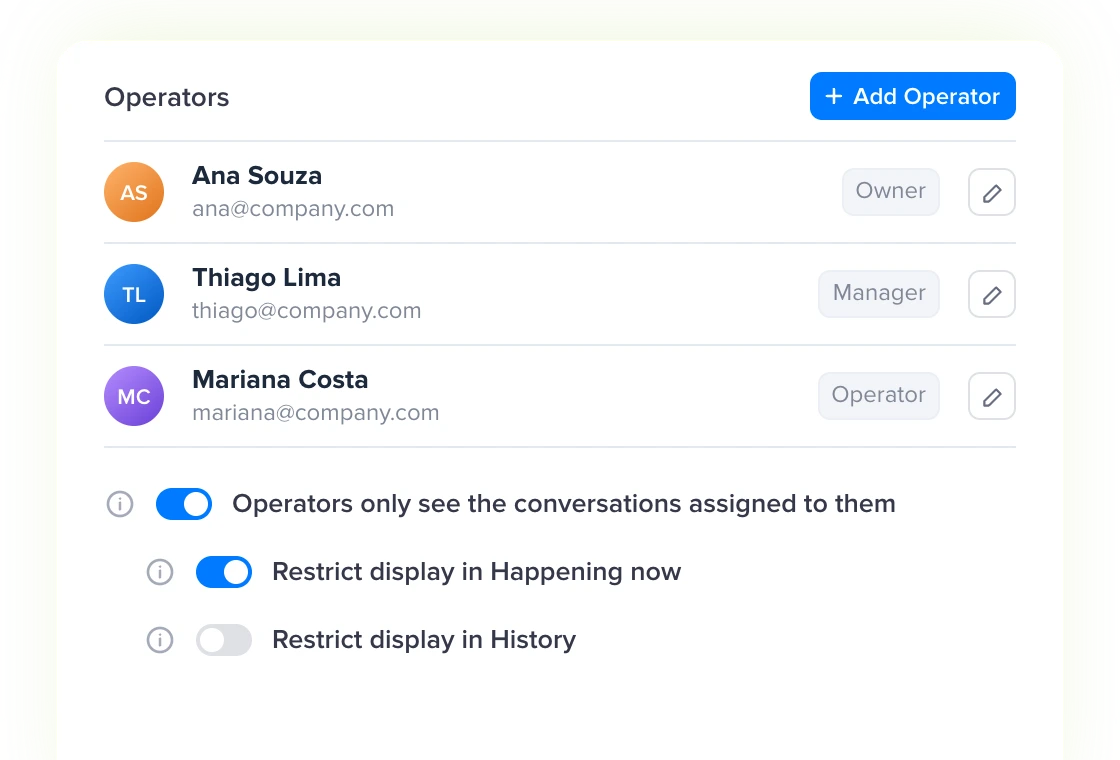
Connected several numbers? Split support by department, branch or team with inboxes. Owners, managers and operators get different access levels, and operators can see only the conversations assigned to them.
Set the hours for each day or stay open 24/7. After hours, a workflow can reply and organize the queue.
Move a conversation to another inbox or person, only when someone is online to take it if you prefer.
What's new
Frequent updates, so your team always works with the latest technology.
Suggest a reply, explain better, rewrite and summarize without leaving the conversation.
A cleaner conversation list, more room for the thread and contact details at hand.
Owners and managers can close conversations assigned to other agents.
Connect WhatsApp and your other channels in minutes and start answering today.
7-day free trial, no credit card required.