The whole period on one screen
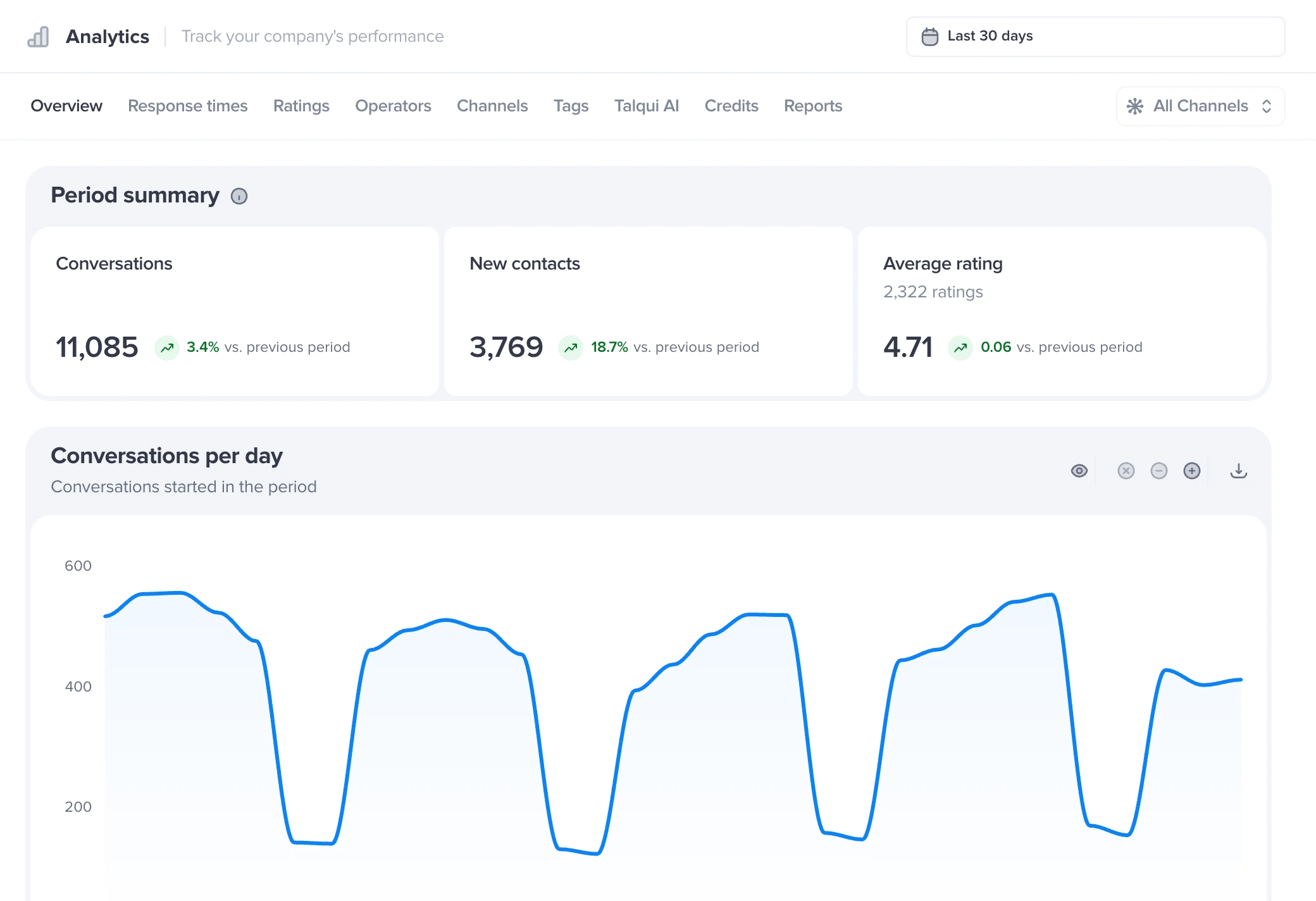
How many conversations came in, on which day and hour, who answered first and why each conversation was closed. All compared with the previous period.
- Conversations by day and hour
- Who answered first
- Closing reasons

See how many conversations came in, how long customers waited, who answered first and how they rated the service. By channel, by agent and by AI, with no spreadsheet to build.
Definition
Customer service reports are the numbers that show how your team handles customers: how many conversations came in, how long the customer waited for the first response, who answered and how they rated it. In Talqui, Statistics does the math on its own from the conversations of every channel, with filters by period and channel, and tells apart what your team handled from what Talqui AI handled.
Source: Talqui Statistics, October 2026.
Statistics reads the conversations of every channel and shows the same number by period, by channel and by agent. Nothing to export, no spreadsheet to build.
The same number for WhatsApp, Instagram, Webchat and every connected channel.
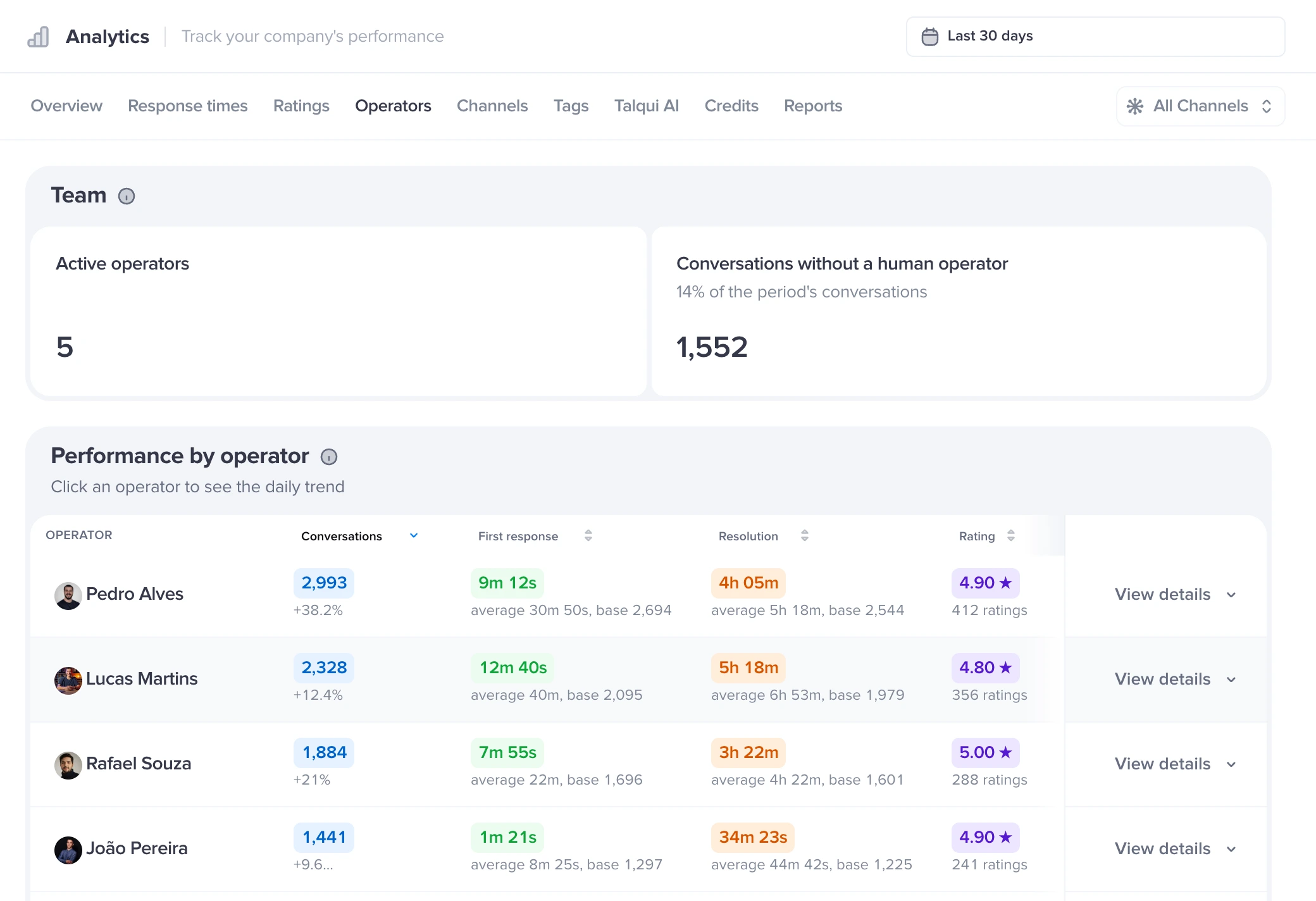
Conversations, first response and rating for each person on the team.
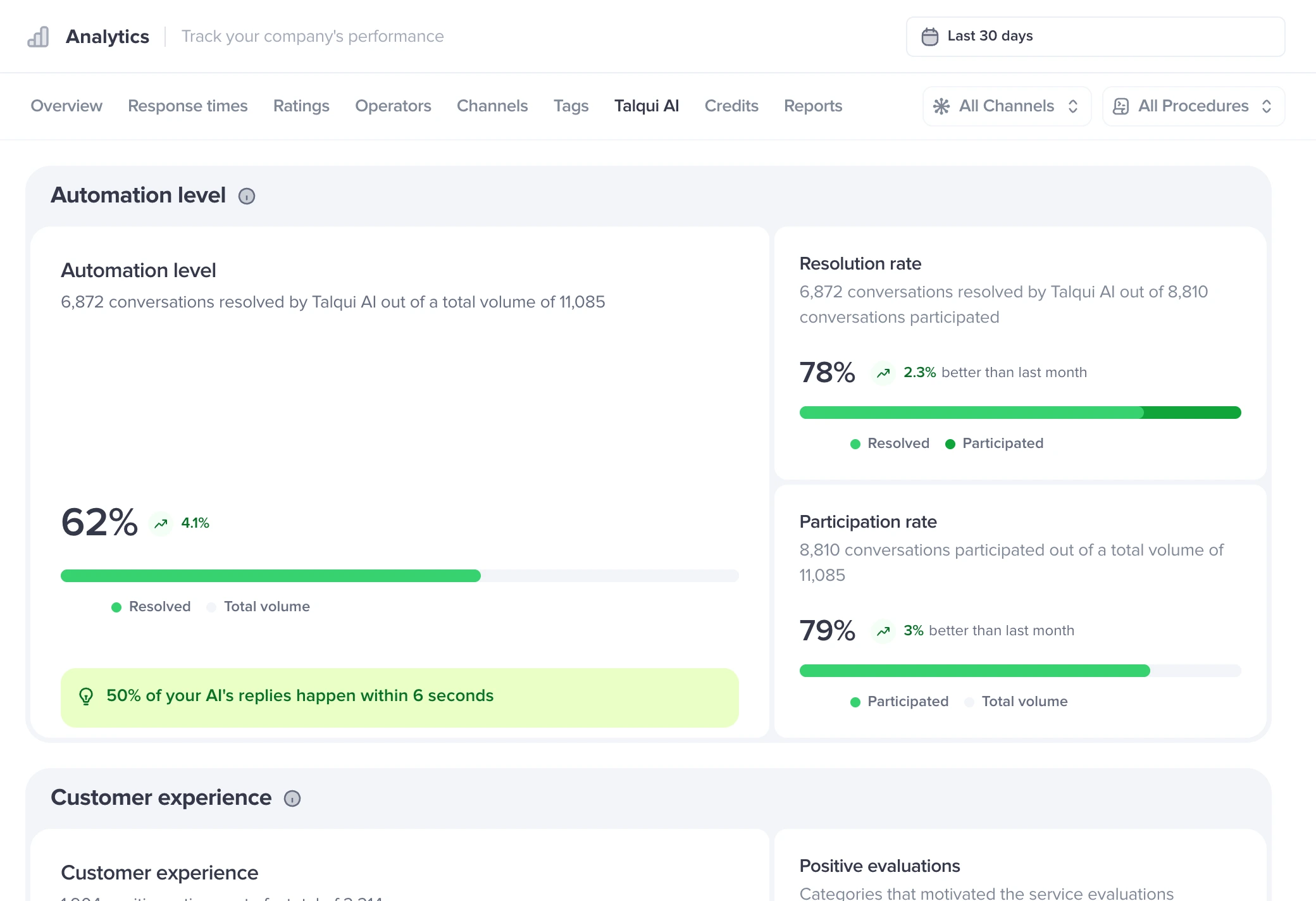
How much the AI solved on its own, and how well.
Each one already has a chart in Talqui that keeps itself up to date.
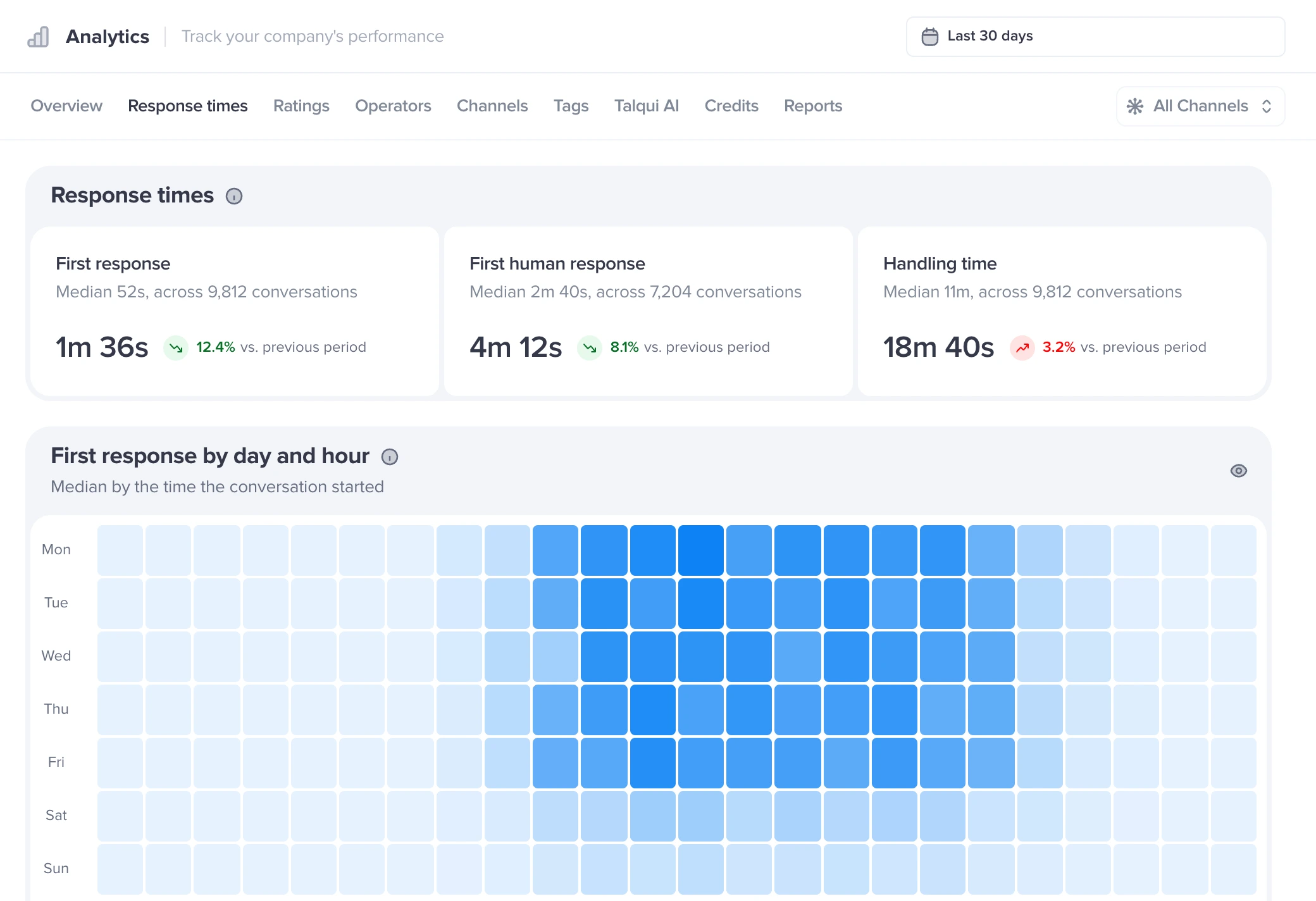
The heatmap shows volume by weekday and hour, in your time zone. Staff your shifts where the traffic is.
First response, first human response and handling time, each with the period's average and median.
Closing reasons show what was solved, what stopped for inactivity and what moved to another channel.
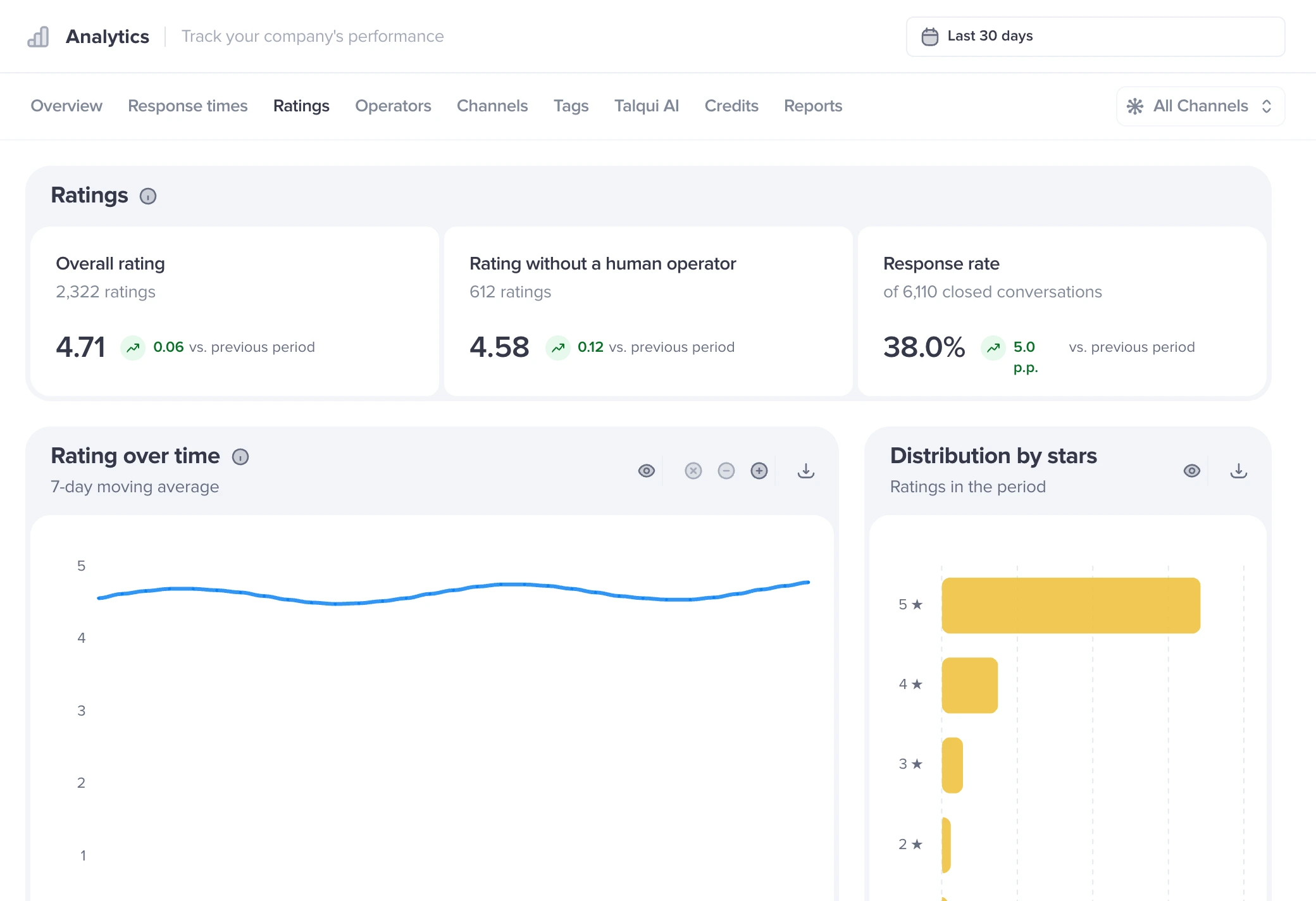
The satisfaction survey becomes a breakdown by stars, plus the rating of conversations that never reached an agent.
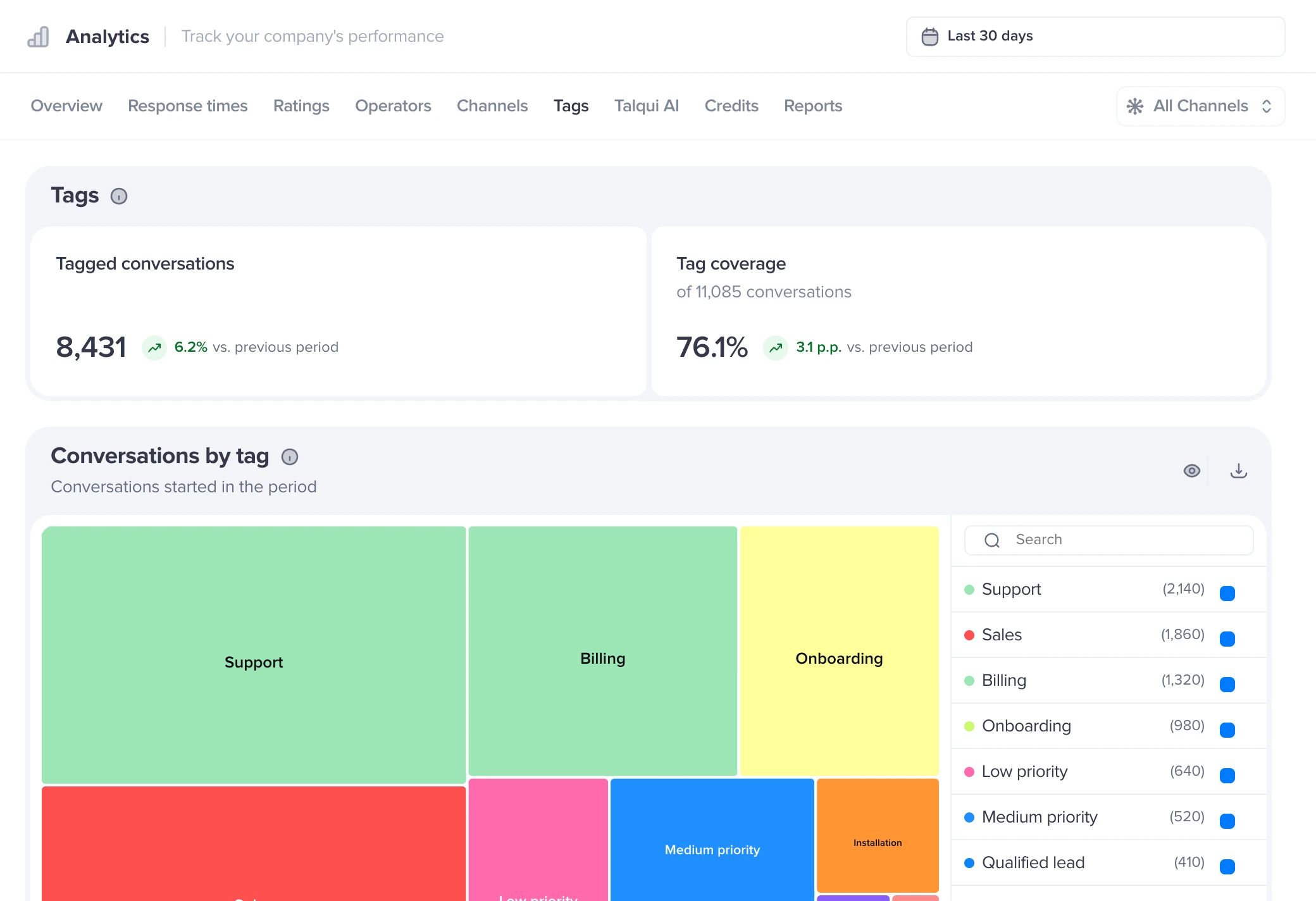
The tags left on conversations become a ranking of topics, with how each one trends over time.
The period, the channel filter and the comparison with the previous period apply to every tab.
How many conversations came in, on which day and hour, who answered first and why each conversation was closed. All compared with the previous period.

An average alone hides the conversation that waited all afternoon. Talqui shows both, tracks first human response separately and measures business hours on their own.

Overall rating, survey response rate and the rating of conversations that ended without a human agent. Every rating opens the conversation behind it.

Conversations, first response, resolution time and rating for each agent, side by side. Click a name to see the day-by-day trend.

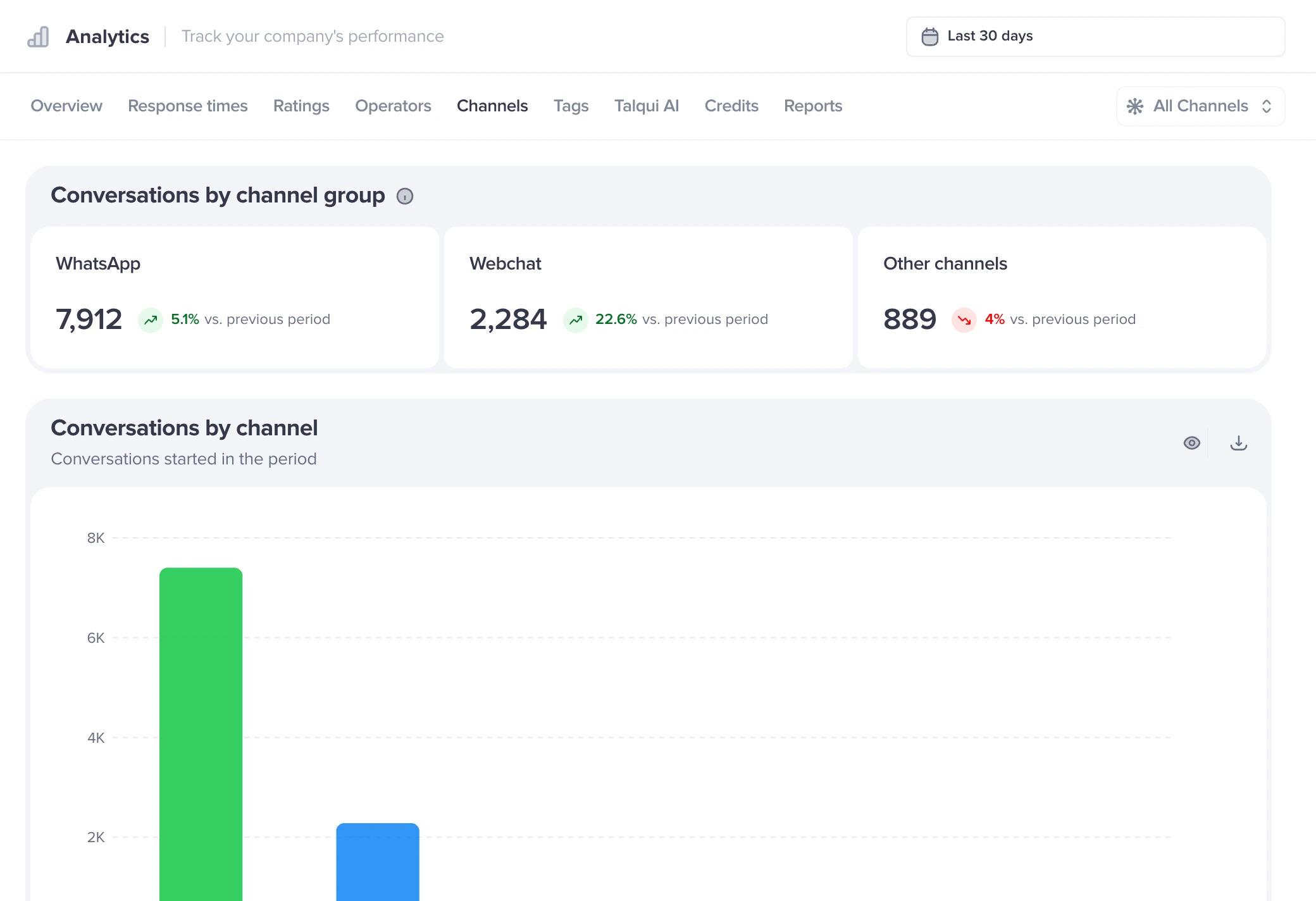
Conversations by channel group, by channel and by connection. See how much comes through WhatsApp, Instagram, Webchat and every other connected channel.

Tags left on conversations become a ranking and a time series. Coverage shows how many conversations your team classified.

With AI agents installed, the Talqui AI tab shows the automation level, the resolution rate and the most used procedures, with a filter by procedure.

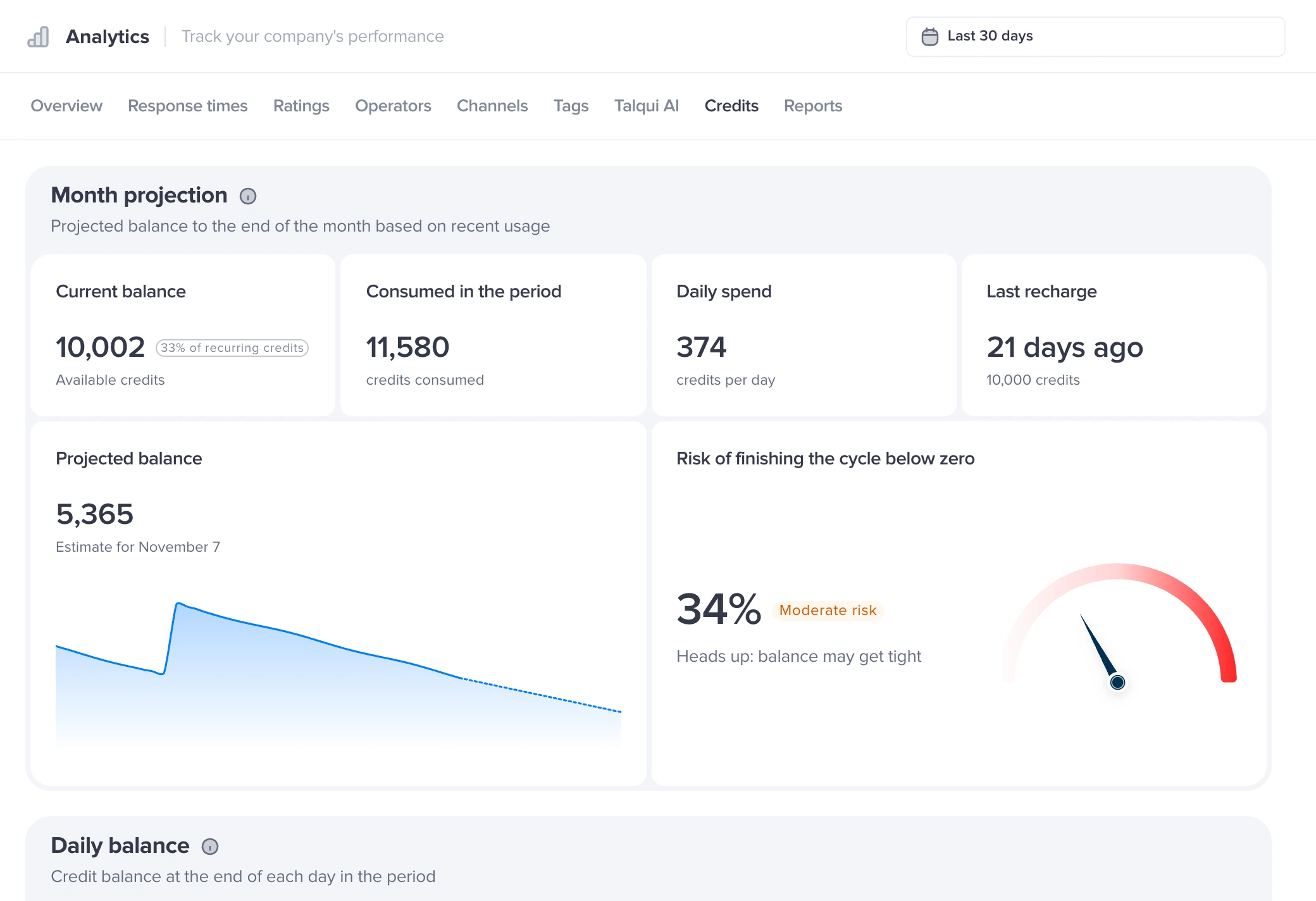
Daily balance, usage by category and the projection to the end of the cycle, with the risk of running out early and a suggested top-up.

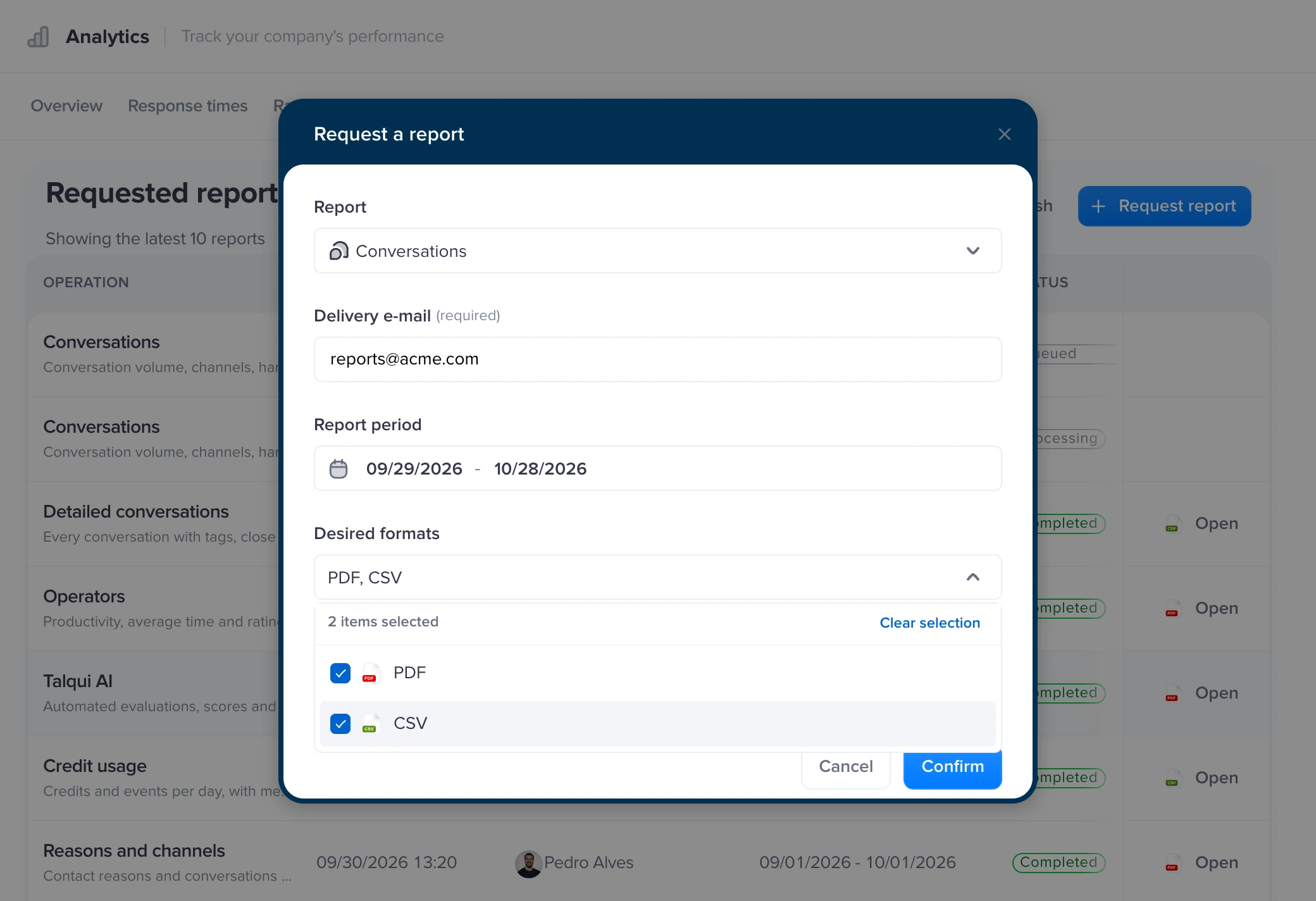
Pick the report, the period and the format. Talqui builds the file in the background and sends it to the email you choose, ready for the meeting.

FAQ
Analytics has Overview, Response times, Ratings, Operators, Channels, Tags, Talqui AI, Credits and Reports tabs. Together they show conversation volume, a heatmap by day and hour, who answered first, closing reasons, response times, satisfaction survey ratings and each agent's performance.
Yes. The Who answered first chart splits Operator, Talqui AI, Automation, Outside the platform and No answer within 24 h. With AI agents installed, the Talqui AI tab also shows the automation level, the participation rate and the AI's resolution rate.
From the contact's first message to the first reply, capped at 24 h. Talqui shows the period's average and median, first human response on its own and the median during business hours, Monday to Friday, 9 am to 6 pm, in your time zone.
A conversation counts for the agent who sent the most messages in it. System events, such as assignment and transfer, and internal notes don't count. In a tie, it counts for whoever answered first.
Yes. Pick a preset or custom period and filter by channel. Every number is compared with the previous period of the same length. On the Talqui AI tab you can also filter by procedure.
Yes. On the Reports tab, choose Conversations, Reasons and channels, Operators, Talqui AI, Credit usage or Campaigns, then set the period and the email address. The report is generated as a PDF and sent as soon as it's ready.
Analytics is one part of Talqui. The same conversations, the same team and the same channels run through every feature.