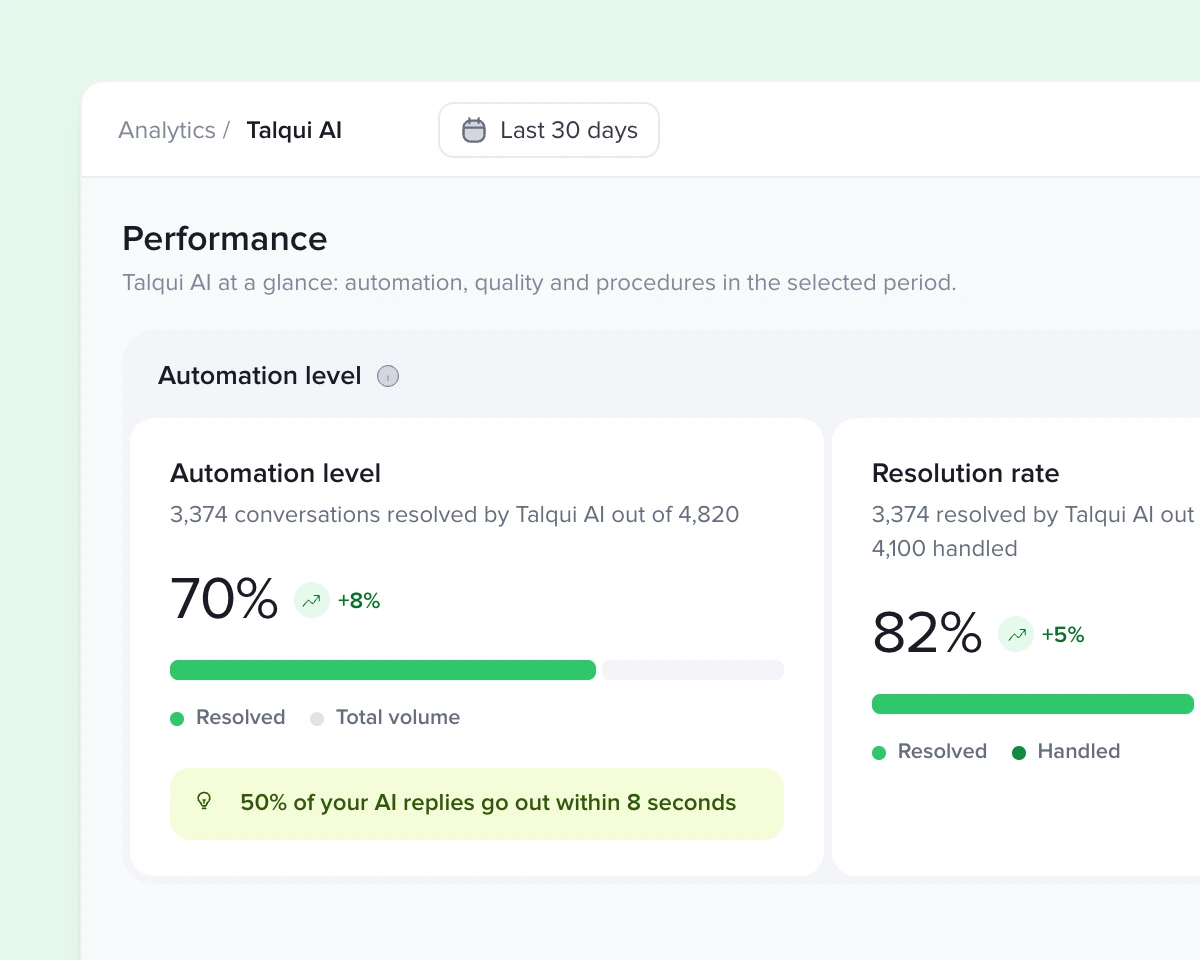
 Resolved by AI
Help center
The articles your customers read are the same ones the AI checks. Every article you publish makes the answers more accurate.
Explore the Help center
If you can solve a support ticket, you can build an AI agent. Write the procedure in your own words and it answers on WhatsApp, Instagram and your website, with no code and no engineering team.
7-day free trial, no credit card required.
Procedure editor
Building and maintaining an AI agent takes no technical team and no black box. People in support, marketing or sales write procedures: the step-by-step of what the agent does in each conversation, the way you would train an intern. Edit, publish, and minutes later the agent works the new way.
Name it and say, in your own words, when it kicks in. No flowcharts, no intents to register, no model to train.
Write what to do at each step, not what to say. The agent understands the intent and talks naturally. When you want an exact sentence, just write it in the step.
Type @ and pick a skill, like looking up invoices in Salesforce, HubSpot or your ERP. The agent fetches the real data and follows the procedure with it.
Say when the agent transfers the conversation and to whom: someone on the team or a department like Billing. The history goes along, so nobody asks everything again.
Ask the agent to add tags as it serves. Reports, queues and automations get every conversation already sorted.
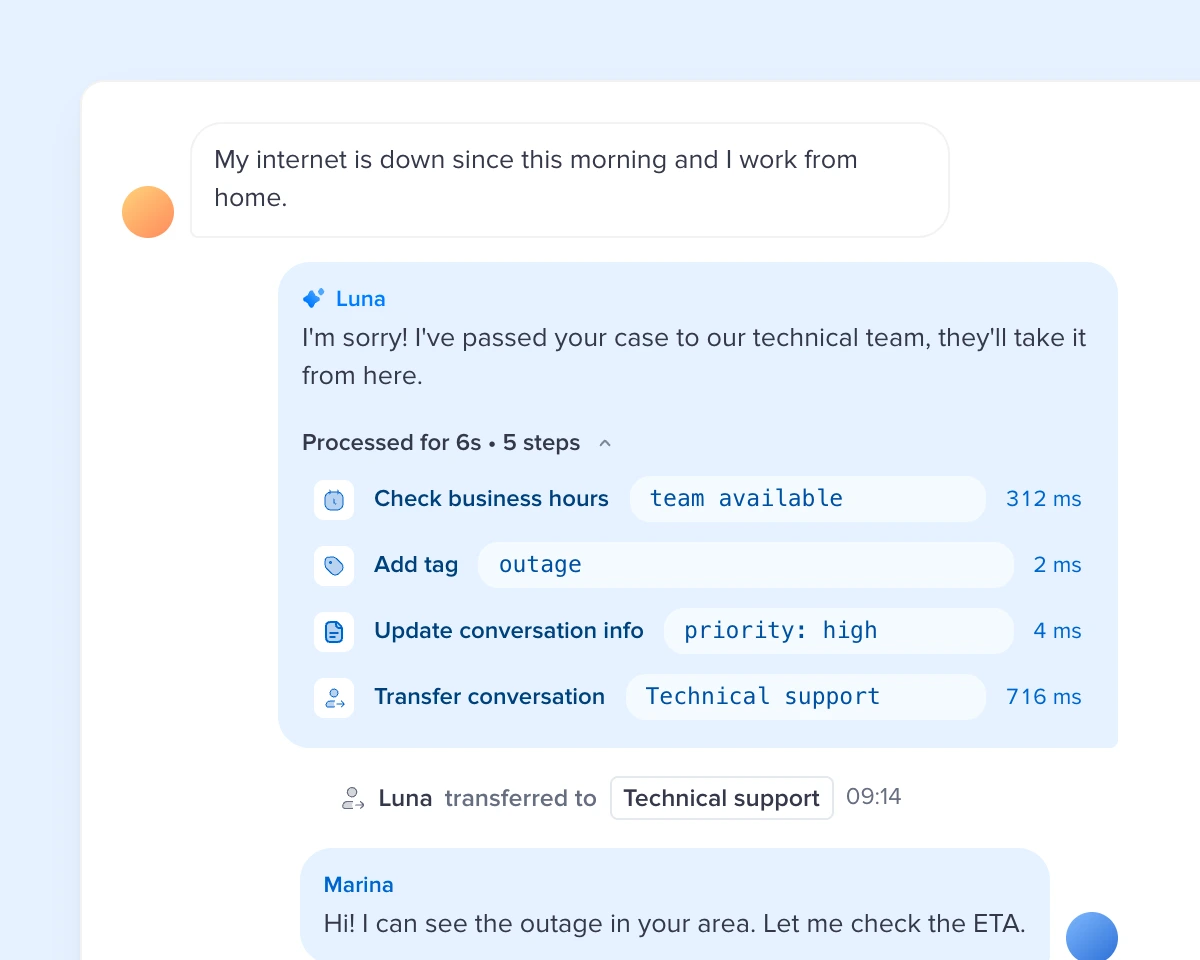
Open any message from the agent and see the path to it: the procedure it picked, what it searched in the knowledge base, which systems it checked and how long each step took. No black box, so you know exactly what to adjust.
Knowledge
No generic answers. The agent checks your help center and your systems, and serves in the tone and under the rules you set.
The articles your customers read are the same ones the AI checks. Every article you publish makes the answers more accurate.
Explore the Help centerPlugins and MCP
Connect your CRM, ERP or in-house system once. Its skills become commands the agent uses in the middle of a procedure.
Pick the agent's tone of voice and writing style, from friendly to professional, from concise to explanatory. It speaks like your team on every channel.
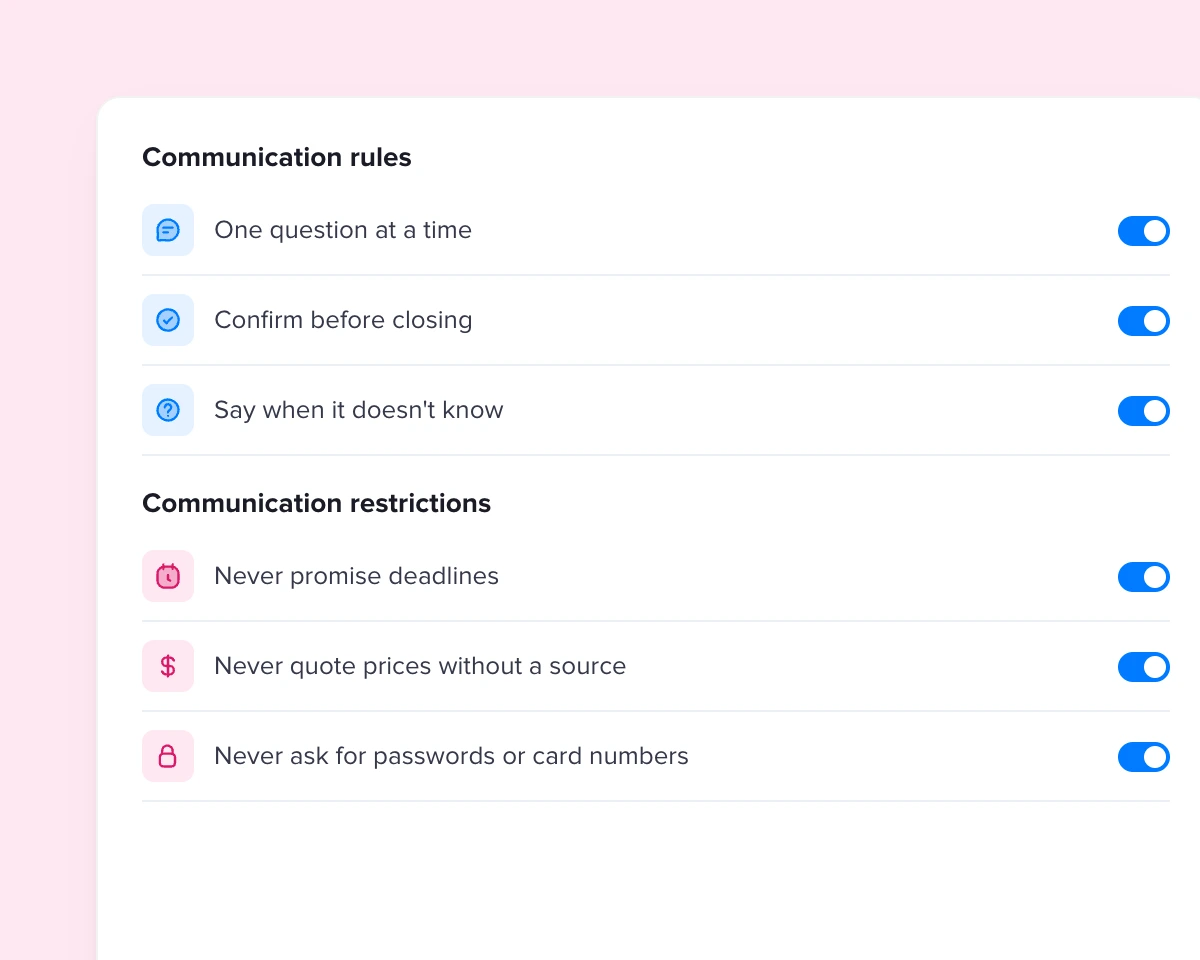
Say how the agent runs each conversation and what it must never do or promise, like deadlines and discounts. Every change is kept in versions.
Control
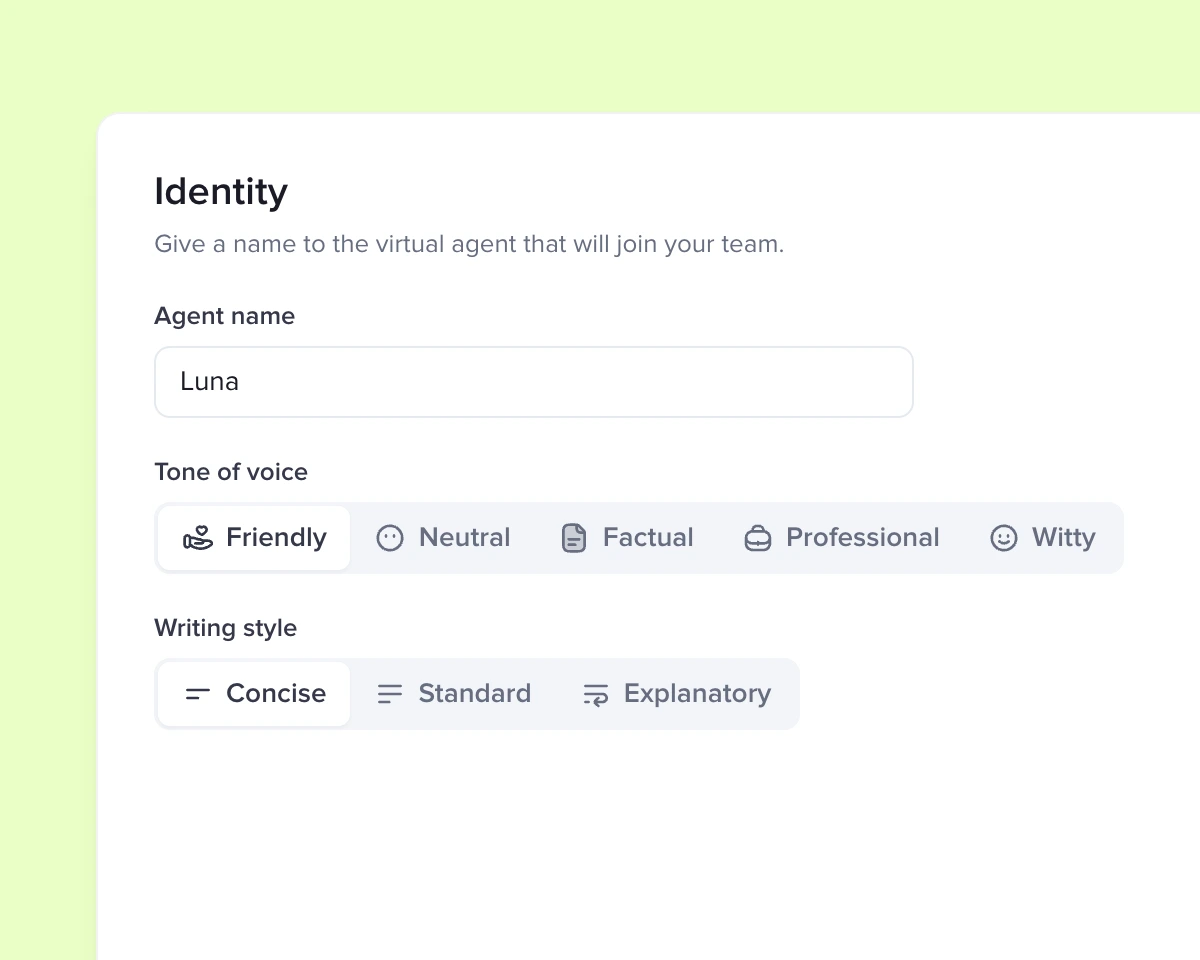
Choose how the agent introduces itself and speaks, from friendly to professional, from concise to explanatory. Your brand's voice on every channel.
AI and Workflows
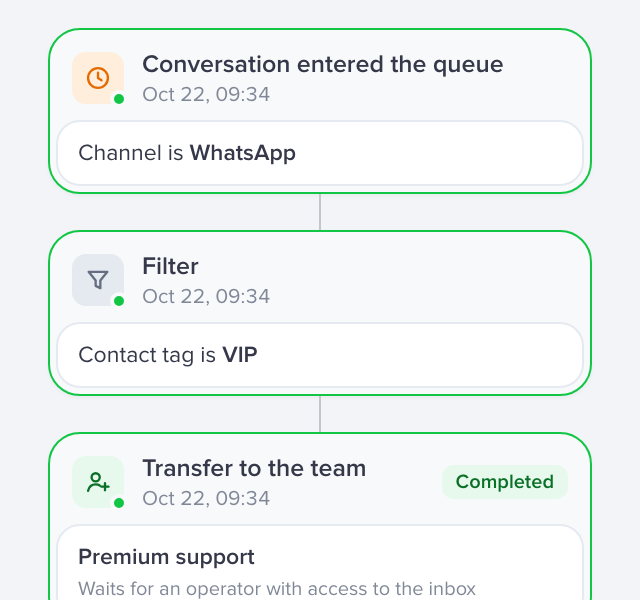
At the Workflows launch we showed how automations complete the AI agent's work: the conversation comes in, the AI solves what it knows and the automation carries out the rest of your process.
Explore WorkflowsFAQ
An artificial intelligence agent that talks to your customers on the channels connected to Talqui. It follows the procedures your team writes, checks your company's knowledge, uses your systems and hands the conversation to a person when needed.
No. Procedures are written in plain language, step by step, the way you'd explain them to a teammate. Whoever knows your customer service can build and adjust the agent on their own.
Each procedure has a field that says when to use it, in your own words. The agent understands what the customer wants and follows the procedure that matches the topic.
No. You decide when a conversation goes to a person and to which team. Your team follows everything in the same inbox and takes over with the conversation history.
From the knowledge you give it: your help center articles, plus the data it looks up in your systems. When it can't find the answer, it tells the customer and calls your team.
Through Talqui plugins. Each plugin offers skills, like looking up an order or issuing an invoice copy, that you use in procedures by typing @. The connection follows the MCP standard.
On the channels connected to your Talqui account, such as WhatsApp, Instagram, Mercado Livre and your website chat.
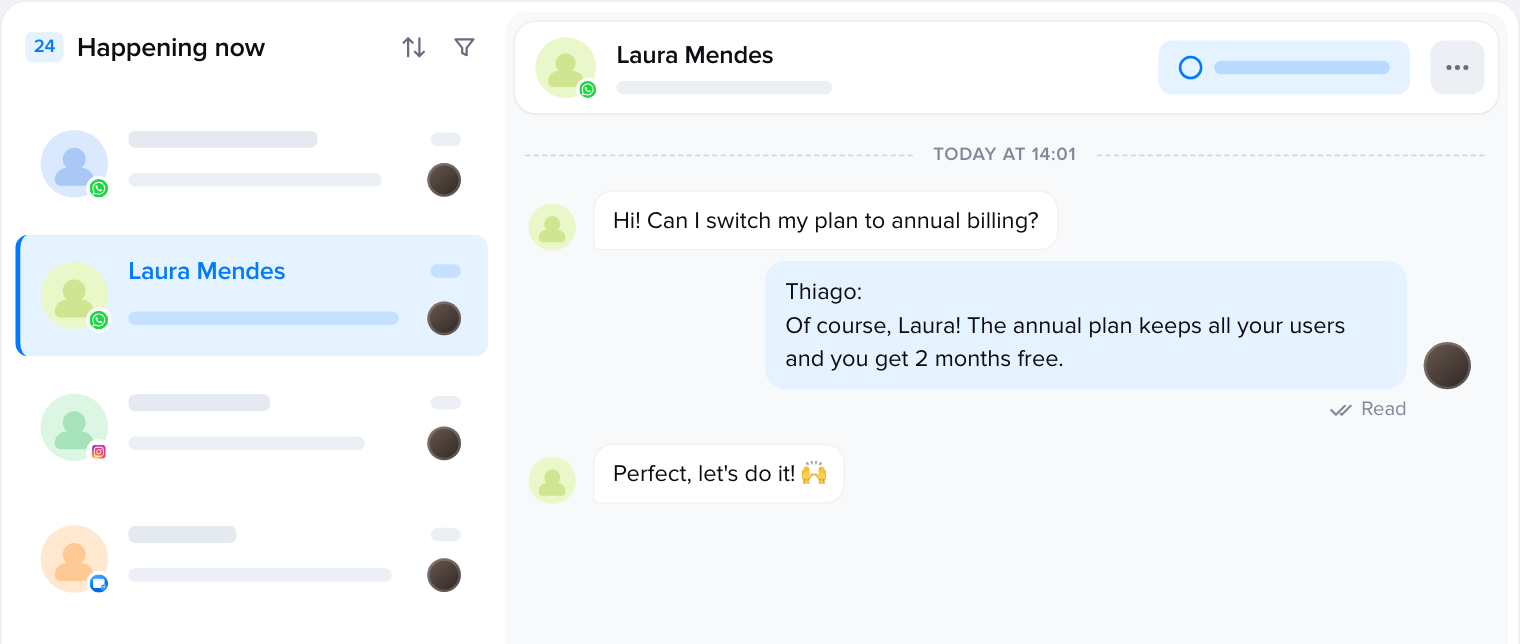
Start with the topic your team answers most. In a few minutes the agent is answering in your own words.
7-day free trial, no credit card required.
 Issue an invoice copy
 Look up an order
 Schedule a technical visit
 Log an activity
 Open a ticket
 Book a meeting